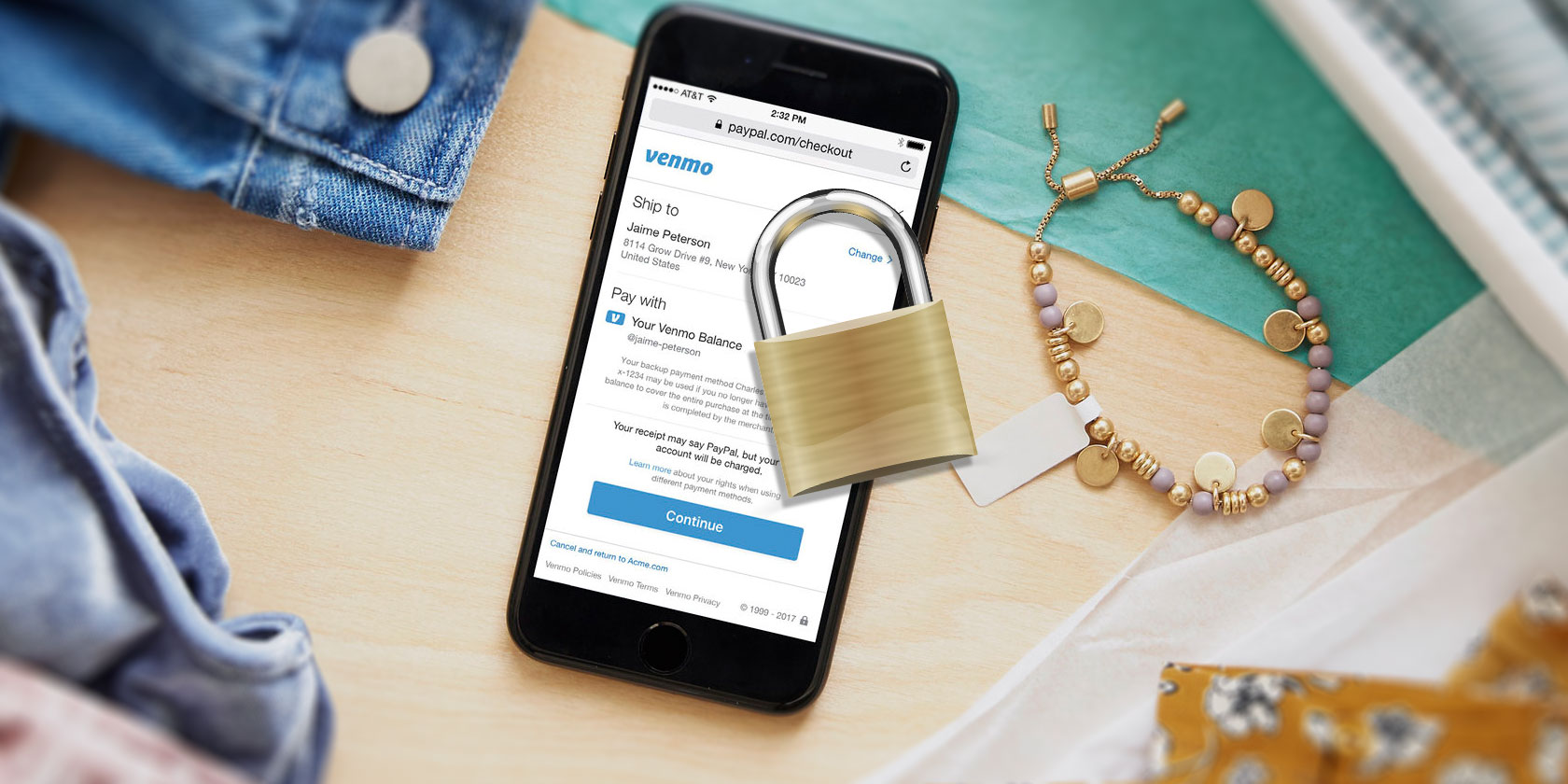

Nothing is more important to keep secure than your financial accounts. PayPal’s mobile payment service Venmo has come under fire several times, most recently for its default public feed where all public transactions can be seen by anyone.
In addition to shutting that setting off, there are plenty of other things you can do to secure your Venmo account and keep your financial information private.
1. Use a Password Generator
The first and most obvious line of defense when it comes to securing your accounts is to use a strong password. You can generate complex passwords using a password manager like 1Password or LastPass.
These free tools not only have password generators built-in and allow you to choose the level of complexity of your password, but also stores them so you don’t have to memorize them yourself. When you need it, the password manager automatically inputs the password for you.
2. Turn Off Default Public Settings
The Venmo feed is divided into three tabs: your transactions, your friends’ transactions, and public transactions. Depending on your privacy settings, your sent and received Venmo payments could be showing up in all feeds.
If your phone number, email address, or any other contact information you use in Venmo is in someone else’s contact list, they’ll see your Venmo transactions. This means you don’t actually explicitly grant your friends access to your transaction history.
The public feed is exactly what it sounds like: anyone who uses Venmo and has their privacy settings turned off will show up in this feed.
A surprising number of people don’t appear to realize transaction information on Venmo is public by default. According to Berlin-based researcher Hang Do Thi Duc, over 200 million Venmo transactions in 2017 were completely public. Worse yet, a bot recently tweeted each time an apparent drug payment showed up in the public feed before its developer ended the experiment.
By leaving your transaction information public, this also means that marketers can keep tabs on your spending habits and target you accordingly. In fact, public transactions are accessible using the Venmo API, meaning developers can access your data without even using the app.
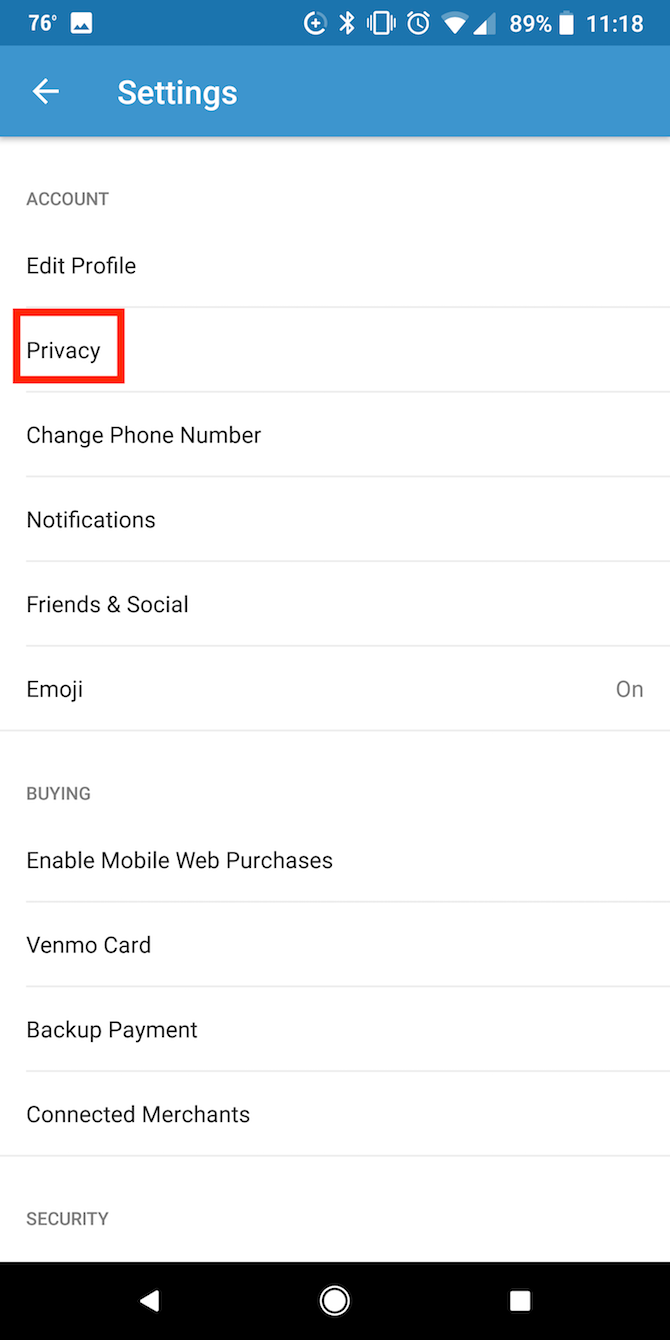
So how do you fix it? To change your privacy settings, do the following:
- Tap the Menu (hamburger) button
- Tap Settings > Privacy
- Under Default Privacy Settings select Private. This means your transactions can only be viewed by you and your recipient

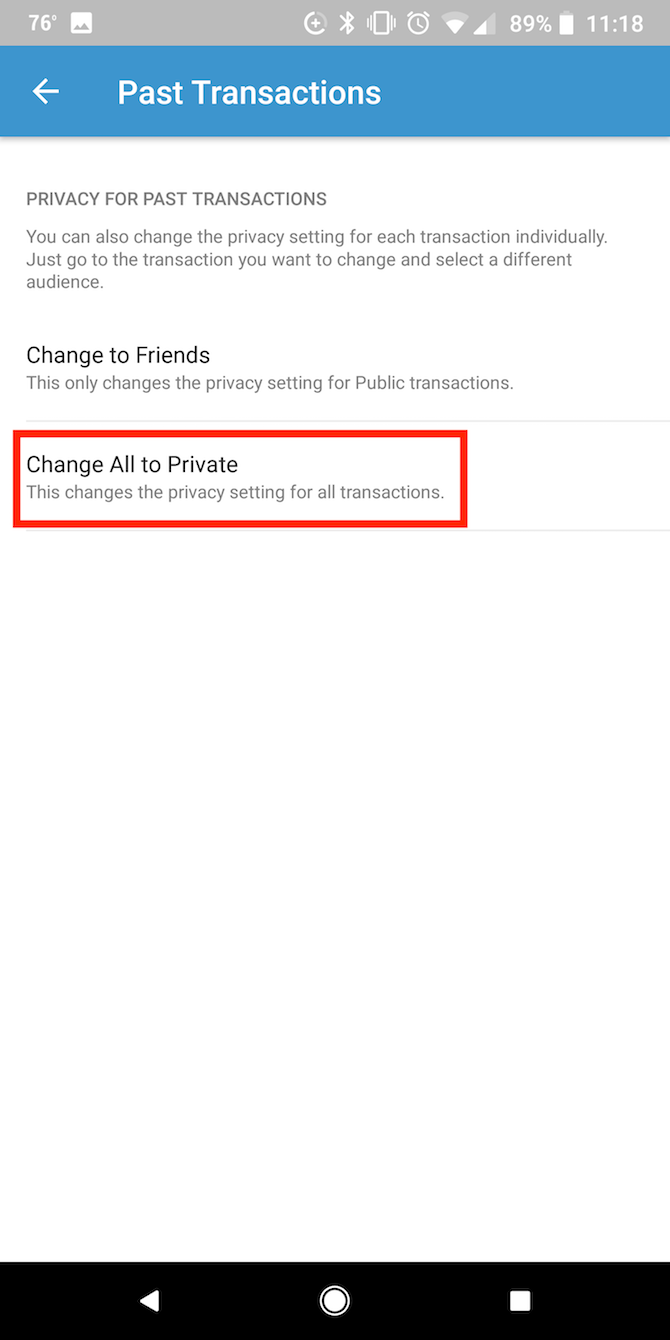
You can also change the privacy settings of past transactions:
- Under More tap Past Transactions
- Tap Change All to Private
According to Venmo, if your friends opt for a more public setting for their transactions, your privacy setting will override their choice to keep their payments public.
3. Enable Two-Factor Authentication
By now, using two-factor authentication (2FA) wherever it’s available is a wise choice. And of course where your finances are in play, it’s a no-brainer.
If you’re not familiar with 2FA, it’s an added layer of security on your accounts that allows you to confirm your identity before you can access your accounts. You can confirm your identity either by entering a digital code that is either sent to you via SMS, or using an authentication app installed on your phone.
When Venmo first launched, it surprisingly didn’t include 2FA in its login options. This changed in 2015, and to Venmo’s credit, the setting is enabled by default on all accounts. Venmo uses SMS 2FA, which isn’t the most secure kind of 2FA, but it’s better than nothing.
With Venmo’s 2FA settings, you can add ‘recognized devices’ to your account so you don’t have to use 2FA on your devices every time you log in to your Venmo account, but the added inconvenience is worth keeping your account secure.
4. Add a PIN Code to the App
Aside from 2FA, Venmo has a few more security settings you should turn on. You can enable PIN code or fingerprint access to your account on your phone.
You can enable just a PIN code, or both a PIN code and fingerprint access, if your phone supports the feature.
This means that if someone somehow gains access to your phone, they would need to know your PIN code to access your Venmo account.
To enable these features, do the following:
- Tap the Menu (hamburger) button
- Tap Settings > PIN Code & Fingerprint
- Toggle Enable PIN code and enter a four digit PIN
- Toggle Use Fingerprint


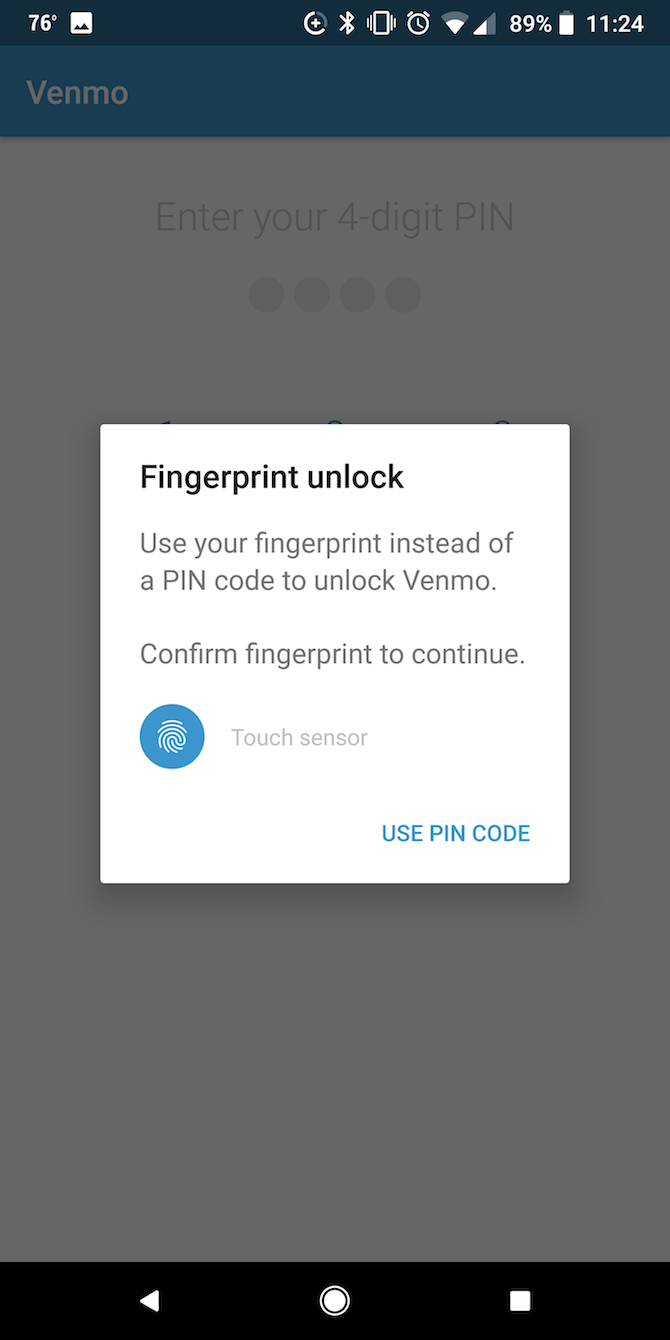
Now when you open your Venmo app, you’ll have the choice of using your fingerprint or four-digit PIN to unlock the app.
5. Secure Your Phone With a Lock Screen
2FA isn’t much use if your phone itself isn’t secure. However, you can take certain measures to make sure that your phone is properly secured. At the very least, you should have a PIN code or fingerprint recognition enabled on your phone.

There are plenty of methods available to unlock your phone from passwords and pin codes, to pattern locks and facial or fingerprint recognition. If your phone has fingerprint recognition, this is probably one of the easiest and most secure ways to unlock your phone as you don’t have to worry about memorizing a complex password or pattern.
Note: You should also keep an eye on available security updates for your phone, and install them as they’re made available.
6. Don’t Link to Your Bank Account
Three methods are available in Venmo for sending money: your bank balance, a debit card, or a credit card. While the latter will cost you a 3 percent fee on each transaction, it’s also the most secure.
Any sort of theft or fraud using your credit cards is more likely to be protected by your bank—with little to no liability for you.
Per the FTC, you will never be liable for more than $ 50 for unauthorized credit card use. With your debit card, depending on how quickly you catch and report it, you could be liable for any amount, from $ 50 to the entire stolen balance.
If you can avoid using a debit card or linking your bank account, that’s for the best. An alternative would be to transfer a balance to your Venmo account and then disconnect all banking information.
7. Enable Venmo Notifications
Venmo offers certain kinds of notifications that you should enable. This way you’ll know of any transactions as they happen, so if your Venmo account is accessed by someone else, you’ll know straight away.
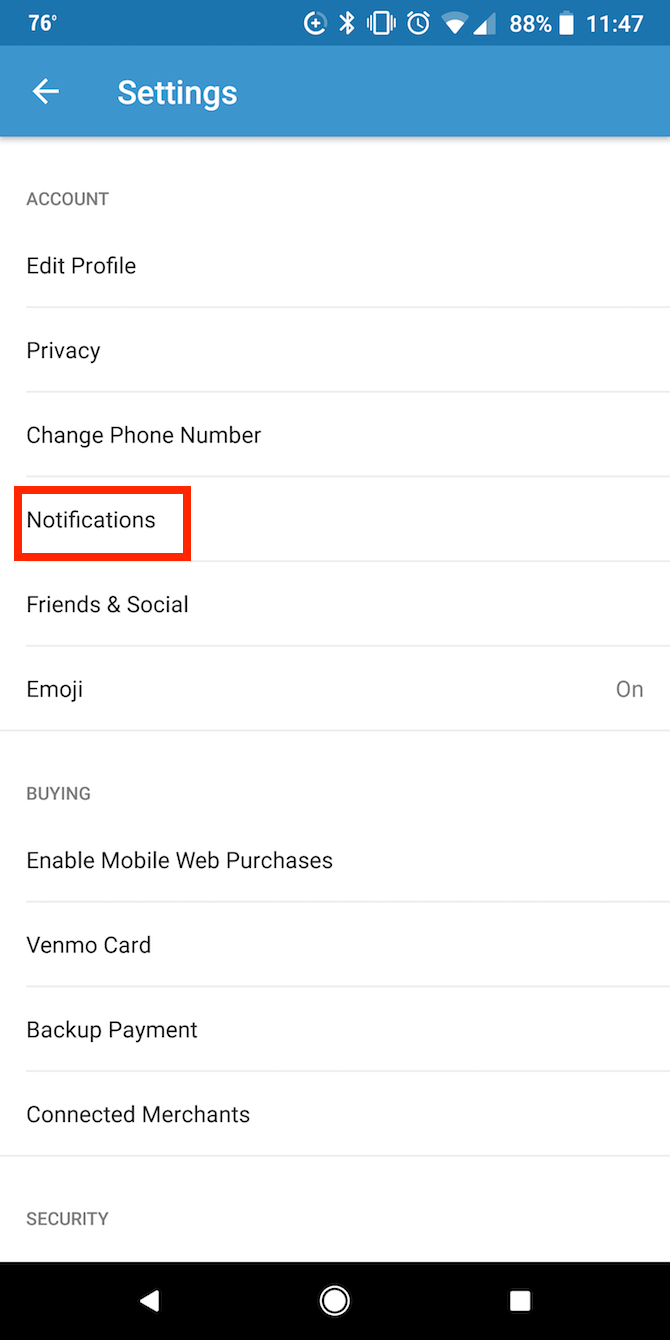
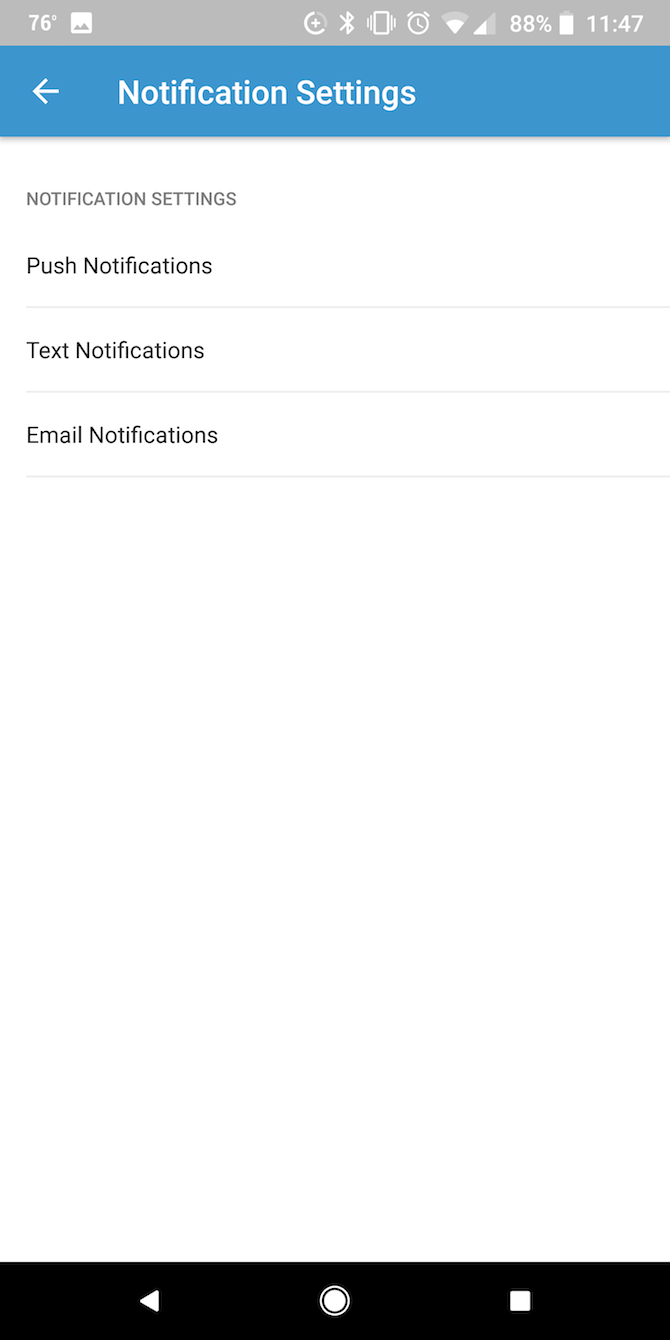
Go to Settings > Notifications to turn on notifications. Here, you’ll find three options to choose from: Push Notifications, Text Notifications, and Email Notifications. Push or Text are probably more handy if you want to be instantly updated of changes to your account.
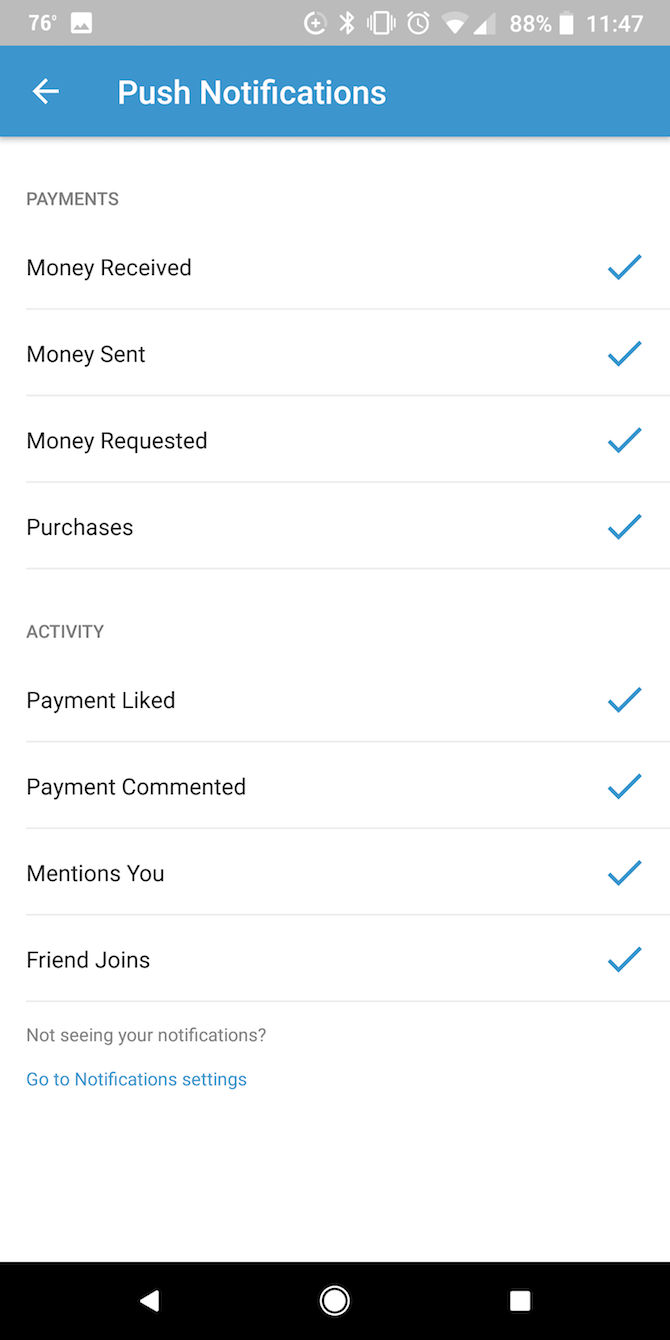
You’ll want to turn on notifications at the very least for Money Sent, but there’s no harm in turning all notifications on, so that you’re aware of any kind of activity on your account.
8. Don’t Venmo Strangers
It’s a good idea to only use Venmo with friends and family. Well, it’s actually in Venmo’s User Agreement!
Venmo’s User Agreement says that personal accounts cannot be used for business transactions. So if you send or receive money from someone for a purchase or service, Venmo is not going to protect you if something goes wrong.
Let’s say you pay someone for a product and they don’t deliver. Venmo cannot refund you without that person’s permission. In fact, there’s no way to cancel a payment in Venmo unless you inadvertently sent the money to someone who doesn’t use Venmo.
Note: You must apply for a business account with Venmo if you plan to use it for business-related transactions.
9. Double-Check Before Tapping Send
That brings us to the next point. When sending money, always double-check the names, numbers, or email address of your contacts. It gets easier as you use Venmo regularly with the same people, but if it’s a first-time transaction, keep an eye on the details.
Again, payments can’t be canceled by the sender, so if you inadvertently send that money to the wrong contact, you’re going to have to rely on them to return the money.
10. Revoke Access and Log Out Sessions
If your phone is lost or stolen, and you’ve added it as a trusted device, you can immediately revoke access to your account on that device. That means if someone manages to get past your phone security, and you don’t have a pin set up on the app, you can stop them from using your Venmo account.
To do this, log in to your Venmo account in a browser and go to Settings > Security.
Here you’ll see any active sessions in a browser, as well as any remembered devices. You can log out of sessions you don’t recognize, and remove devices from your remembered devices.

As an added measure, you should also change your Venmo password at that point.
Don’t Just Secure Venmo, Secure Other Apps!
In this day and age, Venmo isn’t the only app you should take a closer look at. It’s a good idea to review all of your privacy and security settings.
On social media, there are some simple tips and tricks to keep in mind to secure your Facebook account. You can also easily find out if someone has gained unauthorized access to your Facebook account.
For your digital finances, there are plenty of key tips to keep in mind to secure your mobile banking accounts. And depending on what accounts you regularly use, you can also follow these steps to find out if your account has been hacked.
Read the full article: 10 Tips for Keeping Your Venmo Account Safe, Secure, and Private